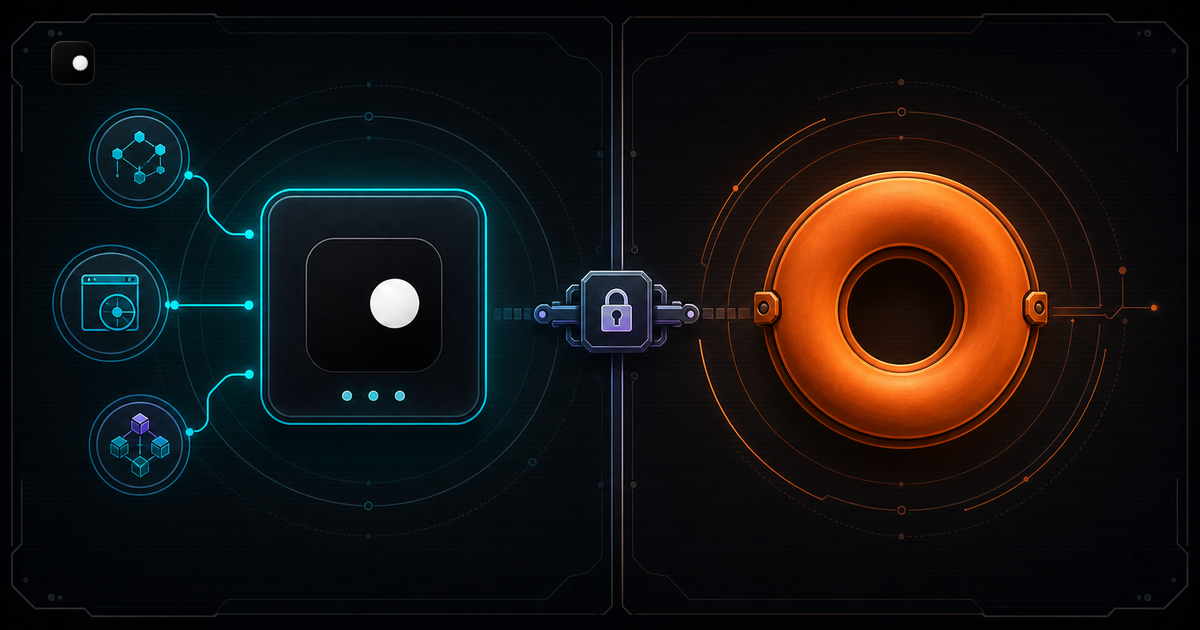
Clawbrowser and Donut Browser are the two open-source, Chromium-based anti-detect browsers with CDP access and a built-in MCP server. On paper, they look almost identical: engine-level fingerprint spoofing, unlimited profiles, local-first architecture, Playwright/Puppeteer support. The difference is what you pay. Clawbrowser is free for commercial use and free automation. Donut Browser's free tier is personal-only: commercial use and browser automation via Playwright/Puppeteer/Selenium require a $348/year Pro plan.
TL;DR: Both are Chromium forks with CDP, MCP, engine-level fingerprints and unlimited profiles. Clawbrowser is free for all use including commercial automation. Donut Browser restricts its free tier to personal use and paywalls Playwright/Puppeteer/Selenium behind a $348/year Pro plan. Pick Clawbrowser if you need free commercial automation, remote streaming, managed proxy routing and one-command agent framework installs.
Two Chromium Forks, Same Architecture
Both browsers took the same approach: fork Chromium, patch fingerprint surfaces at the C++ layer and expose the result over CDP.
Clawbrowser uses a patched Chromium binary directly. Fingerprints are managed across 20+ surfaces per session. Proxy routing is built in and aligned with the fingerprint's geography.
Donut Browser uses Wayfern, their custom Chromium fork built into a Tauri desktop app (Rust backend, TypeScript frontend). The architectural similarity means most technical comparisons come down to what's built around the engine: pricing, developer tools, proxy handling, agent integrations.
Pricing: Free vs $348/year for Automation
This is the sharpest difference between the two browsers.
| Plan | Clawbrowser | Donut Browser |
|---|---|---|
| Free tier | Free (all features, all use cases) | Free (personal use only) |
| Commercial use | Free | starting from $348/year |
| Playwright/Puppeteer/Selenium | Free | starting from $348/year |
| Unlimited profiles | Free | Free |
| MCP server | Free | Free |
| REST API | Free | Free |
| Cloud backup | N/A | starting from $348/year |
| Enterprise | Free | Custom pricing |
Donut Browser's free tier includes unlimited profiles, the REST API, MCP and per-profile proxy/VPN support. That's genuinely generous for personal use. But the moment you use it for work — scraping for a client, automating a business workflow, running agents in production — you need the Pro plan starting from $348/year. Automation via Playwright, Puppeteer or Selenium is also paywalled behind Pro even for personal use.
Clawbrowser is a free anti-detect browser with no such restriction. CDP access, Playwright/Puppeteer automation and commercial use are all included at zero cost. No paywall on any feature, no plan upgrades, no per-seat licensing.
For a solo developer running browser automation as a side business, that's $348/year saved. For a team of five, the Donut Browser Team plan costs $99/mo ($1,188/year) before anyone writes a line of automation code.
Fingerprint Spoofing
Both browsers spoof fingerprints at the Chromium C++ layer rather than injecting JavaScript overrides. This is the right approach: JS-level spoofing is detectable through prototype chain checks and timing analysis. C++ patches modify the values before JavaScript sees them.
Clawbrowser manages fingerprints across 20+ surfaces: canvas, WebGL, AudioContext, navigator properties, screen dimensions, fonts, timezone, geolocation and WebRTC. Each session gets a complete, internally consistent profile where all surfaces tell the same story. A US residential fingerprint has matching timezone, language, geolocation and WebGL vendor strings.
Donut Browser spoofs a similar set through Wayfern: canvas (noise seeds per profile), WebGL vendor, AudioContext, WebRTC (IP leak blocking, local IPv4/IPv6 spoofing), user agent, Client Hints, platform, Accept-Language, timezone and fonts. The core spoofing approach is comparable. The difference is in profile management: Clawbrowser's managed proxy routing ensures the proxy geography matches the fingerprint. Donut Browser supports per-profile proxies (HTTP, HTTPS, SOCKS4, SOCKS5) but you bring your own and wire up the geographic consistency yourself.
CDP and MCP: Both Supported
Both browsers expose CDP endpoints and ship an MCP server. Your Playwright and Puppeteer code works with either one.
Clawbrowser connection
# Start a session with managed fingerprint and proxy
clawctl session start --profile residential-us-1from playwright.async_api import async_playwright
async with async_playwright() as p:
browser = await p.chromium.connect_over_cdp("ws://localhost:9222")
page = await browser.new_page()Donut Browser connection
// Launch a profile via REST API, get CDP port back
const res = await fetch('http://localhost:5100/api/profiles/my-profile/launch');
const { cdpUrl } = await res.json();
const browser = await puppeteer.connect({Both approaches end at a standard CDP WebSocket. The difference: Clawbrowser's CDP access is free. Donut Browser requires the $348/year Pro plan to automate via Playwright/Puppeteer/Selenium.
MCP support
Both browsers include a built-in MCP server. AI agents that speak MCP (Claude Code, Codex and other MCP-compatible agents) can manage profiles and control the browser through high-level tool calls.
Clawbrowser goes further with one-command installs for specific agent frameworks: Claude Code, Codex, Gemini CLI, Hermes Agent and Kilo Code. Donut Browser provides generic MCP support but no framework-specific install paths.
Agent Framework Integrations
This is where the two browsers diverge beyond pricing.
Clawbrowser has a built-in MCP server and purpose-built integrations for major AI agent frameworks. Copy the install prompt from clawbrowser.ai, paste it into your agent and the browser installs and configures itself. Supported frameworks: Claude Code, OpenAI Codex, Google Gemini CLI, Hermes Agent and Kilo Code.
Donut Browser offers MCP and REST API access. You can connect any MCP-compatible agent, but there are no one-command install paths or framework-specific prompts. Integration requires manual configuration.
For teams building agent workflows, Clawbrowser's install-via-prompt approach means a new developer goes from zero to a working agent-with-browser in under a minute. With Donut Browser, you configure the REST API endpoint, handle authentication and wire up the CDP connection manually.
Feature Comparison: Clawbrowser vs Donut Browser
| Feature | Clawbrowser | Donut Browser |
|---|---|---|
| Engine | Patched Chromium | Wayfern (Chromium fork in Tauri) |
| Fingerprint spoofing | C++ level | C++ level |
| CDP | Native (localhost), free | REST API → CDP port, requires Pro ($348/year) |
| MCP server | Built-in, free | Built-in, free |
| Agent framework installs | Claude Code, Codex, Gemini CLI, Hermes, Kilo Code | Generic MCP only |
| Proxy routing | Built-in residential proxy, geo-aligned with fingerprint | BYOP (HTTP, HTTPS, SOCKS4, SOCKS5) |
| VPN support | Not supported | WireGuard, OpenVPN per profile |
| Commercial use | Free | starting from $348/year |
| Browser automation | Free | starting from $348/year |
| Unlimited profiles | Free | Free |
| Remote streaming | Built-in (watch agent from dashboard) | Not supported |
| Cloud sync | Not supported | Self-hostable, E2E encryption (Pro) |
| Humanized input | Mouse clicks | Wayfern Playwright npm package (baked in) |
| DNS ad blocking | Configurable | Per-profile DNS-level blocking |
| Desktop UI | Uses AI agent native UI | Tauri app (Rust + TypeScript) |
| Headless mode | Supported | Supported (claims Cloudflare/DataDome evasion) |
| License | Open source | AGPL-3.0 |
| Price | Free | Free (personal) / $348/year (commercial) |
Where Donut Browser Wins
Credit where it's due.
Per-profile VPN support. Donut Browser supports WireGuard and OpenVPN per profile. If your workflow requires VPN tunnels rather than proxy rotation, this is built in. Clawbrowser handles proxy routing natively but does not support VPN connections.
Cloud sync. Donut Browser's Pro plan includes cloud backup for profiles. The sync server is self-hostable. Clawbrowser does not support cloud sync.
Cross-browser migration. Donut Browser can import profiles from other anti-detect browsers (Chrome, Edge, Brave). Useful if you're switching from another anti-detect browser and want to bring your profile data.
Desktop UI. Donut Browser ships a polished Tauri-based desktop application with profile management, group organization and real-time traffic monitoring. It looks and feels like a native app.
9-language website. Donut Browser's site supports English, Spanish, Portuguese, French, Chinese, Japanese, Korean, Russian and Vietnamese. Broader international reach.
Where Clawbrowser Wins
Free commercial use. Free automation. This is the headline. Clawbrowser is free for all use: personal, commercial, enterprise. CDP access, Playwright/Puppeteer/Selenium automation: all free. With Donut Browser, the moment you automate a browser or use it for business, you pay $$$. Every scraping engineer, every automation shop, every startup building AI agents hits that paywall.
Remote streaming. Clawbrowser lets you watch your agent work from a dashboard or phone. See what the browser sees in real time: debug a failing workflow, demo to a client, monitor a production agent. Donut Browser has no remote streaming capability.
Agent framework integrations. Clawbrowser has one-command installs for Claude Code, Codex, Gemini CLI, Hermes Agent and Kilo Code. Copy a prompt, paste it into your agent and Clawbrowser installs, configures and connects. Donut Browser provides generic MCP and REST API. The integration works, but you wire it up yourself.
Managed proxy routing with geographic alignment. Clawbrowser's proxy routing is built in and automatically aligns the proxy geography with the fingerprint profile. A US residential fingerprint routes through a US proxy. Donut Browser supports bring-your-own proxies per profile, but geographic alignment is your responsibility.
Direct Chromium binary with Docker support. Clawbrowser runs a patched Chromium binary directly. For VPS, CI or headless deployments, use the official Docker image: docker.io/clawbrowser/clawbrowser:latest.
14-language website. Clawbrowser's site and blog are available in Arabic, Chinese, English, French, German, Italian, Japanese, Korean, Polish, Portuguese, Russian, Spanish, Turkish and Vietnamese. Donut Browser supports 9 languages.
Donut Browser Alternative: When to Switch
Consider Clawbrowser over Donut Browser if:
-
You use browser automation commercially. Clawbrowser doesn't charge for Playwright, Puppeteer or Selenium access. Donut Browser requires the $348/year Pro plan for any automation.
-
You run agents in production. Remote streaming lets you monitor what your agents do in real time. Debug failures, catch edge cases, demonstrate workflows to stakeholders. Donut Browser offers no remote visibility.
-
You want one-command agent setup. Copy a prompt from clawbrowser.ai, paste it into Claude Code, Codex, Gemini CLI, Hermes Agent or Kilo Code. Browser installs and configures itself. Donut Browser requires manual REST API configuration.
-
You need managed proxy routing. Clawbrowser aligns proxy geography with fingerprint data automatically. Donut Browser expects you to source and configure your own proxies.
-
You deploy headless in containers. A direct Chromium binary is simpler to containerize than a Tauri desktop application.
Consider staying with Donut Browser if:
- You need per-profile VPN support (WireGuard/OpenVPN) and proxy routing isn't sufficient.
- You want humanized input (mouse, typing, scroll) baked into the Playwright integration without custom code.
- You need cloud sync with E2E encryption for profile backup.
- You're migrating from another anti-detect browser and want profile import.
- You prefer a desktop application with a GUI for manual profile management.
Getting Started with Clawbrowser
Copy the install prompt from clawbrowser.ai and paste it into your AI agent, or install manually:
# Install Clawbrowser
clawctl install
# Configure your API key
clawctl config set --api-key YOUR_API_KEYConnect from Python with Playwright:
from playwright.async_api import async_playwright

async with async_playwright() as p:
    browser = await p.chromium.connect_over_cdp("ws://localhost:9222")
page = await browser.new_page()Or from Node.js with Puppeteer:
const puppeteer = require('puppeteer');
const browser = await puppeteer.connect({
  browserWSEndpoint: 'ws://localhost:9222/devtools/browser/...'
});
const page = await browser.newPage();Same CDP endpoint, any language, any framework. See the full installation guide for all platforms.
Frequently Asked Questions
Is Donut Browser really free?
For personal use, yes. Donut Browser's free tier includes unlimited profiles, REST API, MCP server and per-profile proxy/VPN. But commercial use requires the $348/year Pro plan. Automating via Playwright, Puppeteer or Selenium also requires Pro. Clawbrowser is free for all use including commercial and automation.
Can Donut Browser connect to Claude Code and other AI agents?
Yes. Donut Browser has a built-in MCP server that works with MCP-compatible agents. However, it does not have one-command installs for specific frameworks. Clawbrowser provides purpose-built integrations for Claude Code, Codex, Gemini CLI, Hermes Agent and Kilo Code.
Which has better fingerprint spoofing?
Both spoof fingerprints at the Chromium C++ layer rather than using JavaScript overrides. Donut Browser claims 50+ parameters via Wayfern. Clawbrowser manages 20+ surfaces with automatic geographic alignment between fingerprint and proxy. The approaches are architecturally similar; the difference is how proxy routing and profile management work around the spoofing.
Does Clawbrowser support VPN connections?
No. Clawbrowser uses built-in proxy routing (HTTP, SOCKS5) with automatic geographic alignment. Donut Browser supports per-profile WireGuard and OpenVPN connections. If your workflow specifically requires VPN tunnels, Donut Browser has this feature.
What license does each browser use?
Donut Browser uses AGPL-3.0. Clawbrowser is open source. The AGPL-3.0 requires that modifications to the source code be published under the same license, which may affect commercial integrations that modify the browser.
Related Comparisons
Continue exploring
Ask AI how Clawbrowser helps
Keep reading
Related articles
Free Anti-Detect Browser for AI Agents: What Actually Works
Most anti-detect browsers charge per profile or per session. Here is what is actually free for AI agent automation, what is free with a catch and how the trade-offs stack up.
Read article →
Clawbrowser vs Steel: Free Local Browser or Cloud API
Local anti-detect browser vs cloud browser API. Feature comparison, pricing, code examples, fingerprint handling and when to pick each for AI agent automation.
Read article →