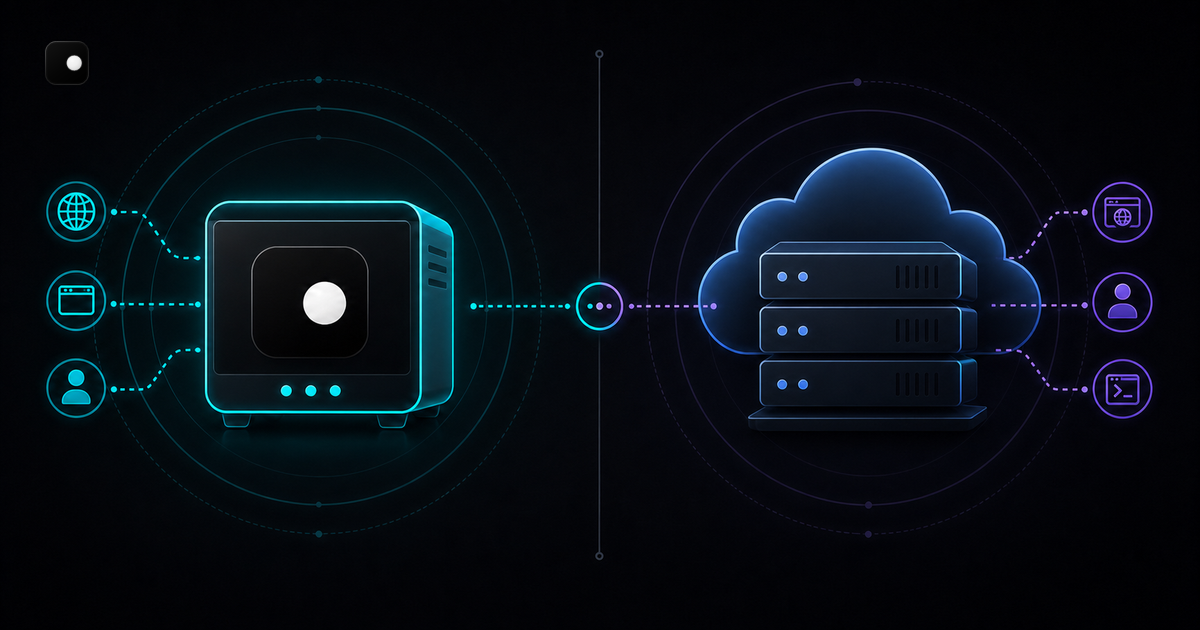
Steel and Clawbrowser both give AI agents a browser that speaks CDP. Both handle anti-detection. Both are open source. But they solve the problem from opposite ends: Steel runs managed browser instances in their cloud and charges per session. Clawbrowser runs a patched Chromium binary on your machine for free. That architectural split determines everything else: what you pay, who controls your data, how fingerprints work and whether your agent needs an internet connection to open a tab.
TL;DR: Steel is cloud browser infrastructure with auto CAPTCHA solving, session recording and managed scaling. Clawbrowser is a local anti-detect Chromium fork with managed fingerprints across 20+ surfaces, built-in proxy routing and a native MCP server. Steel starts at $250/mo. Clawbrowser is free. Pick Steel if you need thousands of cloud sessions with CAPTCHA solving. Pick Clawbrowser if you want full local control, zero usage fees and native MCP for LLM agents.
Architecture: Cloud API vs Local Browser
Steel is a cloud API. You call their endpoint, they spin up a Chromium instance on their servers and your agent connects over CDP via WebSocket. Every page load, every screenshot, every cookie touches Steel's infrastructure.
Clawbrowser is a local binary. You run clawctl session start and get a CDP endpoint on localhost:9222. Nothing leaves your machine unless you explicitly route through a proxy.
What this means in practice
Latency. Steel adds network round-trip to every CDP command. If your agent sends 50 CDP calls per page (navigate, wait, screenshot, extract), each adds 20-100ms over the wire. Clawbrowser operates at local speed: sub-millisecond CDP latency.
Data privacy. Steel sees everything your agent sees: login credentials, session tokens, scraped content, screenshots. Their infrastructure sits between your agent and the web. Clawbrowser keeps all data on your machine. No third-party data processing agreement needed.
Offline capability. Steel requires an internet connection to start a session. Clawbrowser works offline for local testing and development.
Scaling model. Steel scales by spinning up more cloud instances. Clawbrowser scales by running more sessions on your hardware (or your Docker cluster). One model has variable cloud costs. The other has fixed hardware costs.
Pricing: $250/mo vs Free
| Plan | Steel | Clawbrowser |
|---|---|---|
| Free tier | $30 one-time credits | Free forever |
| Standard | $250/mo + usage ($100 credits included) | Free |
| Enterprise | Custom pricing | Free |
| Per-session cost | Usage-based | None |
| Session limits | Credit-based | Unlimited (hardware-bound) |
Steel's Launch tier gives you $30 in one-time credits. After that, the Scale plan costs $250/mo with $100 in monthly credits included. You pay for every session beyond that.
Clawbrowser costs nothing. No credits, no tiers, no usage meters. Run as many sessions as your hardware supports. The only cost is your own compute.
For a team running 100 browser sessions per day, Steel's costs add up quickly. Clawbrowser on a $50/mo VPS runs unlimited sessions at a fixed cost.
Anti-Detection: Managed Fingerprints vs CAPTCHA Solving
Steel and Clawbrowser take different approaches to anti-detection.
Steel focuses on CAPTCHA solving and basic bot evasion. It patches common detection signals and offers auto CAPTCHA solving as a built-in feature. When a target site throws a CAPTCHA, Steel attempts to solve it automatically. The fingerprint management is basic: Steel controls proxy and fingerprint settings through "simple controls" but doesn't document the number of surfaces it manages.
Clawbrowser focuses on fingerprint consistency across 20+ browser surfaces. Canvas, WebGL, AudioContext, navigator properties, screen dimensions, fonts, timezone: every surface tells the same story. The goal is to never trigger a CAPTCHA in the first place because the browser looks like a real user's device. No CAPTCHA solving needed when the anti-bot system doesn't flag you.
| Anti-detection | Clawbrowser | Steel |
|---|---|---|
| Fingerprint surfaces | 20+ managed | Basic controls |
| Fingerprint consistency | Full profile (GPU, fonts, timezone match) | Not documented |
| CAPTCHA approach | Avoid triggering (fingerprint-first) | Auto-solve after triggering |
| Proxy routing | Built-in, per-session | Supported |
| Session isolation | Native, per-profile | Per cloud session |
The difference matters for reliability. CAPTCHA solving has a success rate. Fingerprint consistency has a prevention rate. Solving a CAPTCHA after triggering it means the anti-bot system already flagged you. Preventing the flag means the session continues uninterrupted.
CDP and MCP: Protocol Support
Both Clawbrowser and Steel expose CDP endpoints. Your Puppeteer or Playwright code connects the same way.
Steel connection
const browser = await puppeteer.connect({
  browserWSEndpoint: `wss://connect.steel.dev?apiKey=${STEEL_API_KEY}`
});
const page = await browser.newPage();
await page.goto('https://target-site.com');
Clawbrowser connection
// No API key. No cloud endpoint. Just localhost.
const browser = await puppeteer.connect({
  browserWSEndpoint: 'ws://localhost:9222/devtools/browser/...'
});
const page = await browser.newPage();The code is nearly identical. The difference: Steel's endpoint goes over the internet to their cloud. Clawbrowser's endpoint is local.
MCP support
Clawbrowser ships a built-in MCP server. LLM agents that speak MCP (Claude Code, Codex and other MCP-compatible agents) can control the browser through high-level tool calls: navigate, screenshot, extract text. No CDP code needed.
Steel does not have MCP support. If your agent stack uses MCP, you need Clawbrowser or an adapter layer.
| Protocol | Clawbrowser | Steel |
|---|---|---|
| CDP | Native (localhost) | Cloud WebSocket |
| MCP | Built-in server | Not supported |
| Puppeteer | Yes | Yes |
| Playwright | Yes | Yes |
| Selenium | Via CDP | Yes |
Open Source: Browser vs Infrastructure
Both projects are open source, but they open-source different things.
Steel open-sources their browser infrastructure: the orchestration layer that manages browser sessions, proxies and recording. The browser itself is standard Chromium. Steel's value is in the cloud management, not the browser binary.
Clawbrowser open-sources the browser itself: a patched Chromium fork with fingerprint management, proxy routing and MCP server built into the binary. The value is in what the browser does at the engine level.
This distinction matters when self-hosting. You can run Steel's open-source code on your own servers, but you get standard Chromium with orchestration. You run Clawbrowser and you get an anti-detect browser with managed fingerprints out of the box.
Feature Comparison
| Feature | Clawbrowser | Steel |
|---|---|---|
| Architecture | Local binary | Cloud API (self-host option) |
| Engine | Patched Chromium | Standard Chromium |
| CDP | Native (localhost) | Cloud WebSocket |
| MCP server | Built-in | Not supported |
| Fingerprint management | 20+ surfaces, consistent profiles | Basic controls |
| CAPTCHA handling | Prevention (fingerprint-first) | Auto-solve |
| Proxy routing | Built-in, per-session | Supported |
| Session recording | Not built-in | Built-in (Session Viewer) |
| Session duration | Unlimited | Up to 24 hours |
| Data privacy | All local | Data transits cloud |
| Latency | Sub-millisecond (local) | Network round-trip |
| Open source | Browser + fingerprints | Infrastructure + orchestration |
| Price | Free | From $250/mo |
When to Pick Steel
Steel makes sense when:
- You need thousands of concurrent browser sessions and don't want to manage the infrastructure yourself.
- Auto CAPTCHA solving is critical to your workflow and you'd rather pay for it than prevent CAPTCHAs through fingerprinting.
- You want session recording and live debugging through their Session Viewer.
- Your team is willing to pay $250+/mo for managed cloud infrastructure.
- Data privacy is not a primary concern for your use case.
When to Pick Clawbrowser
Clawbrowser makes sense when:
- You want zero usage fees. Free forever, unlimited sessions.
- Data privacy matters. No credentials, cookies or scraped content touch third-party servers.
- You need deep fingerprint management across 20+ surfaces, not just basic bot evasion.
- Your agent stack uses MCP (Claude Code, Codex or any MCP-compatible agent).
- You prefer local-first development with sub-millisecond CDP latency.
- You want an anti-detect browser, not a cloud API with orchestration.
Getting Started with Clawbrowser
# Install Clawbrowser
clawctl install

# Start a session with managed fingerprint and proxy
clawctl session start --profile residential-us-1 --proxy socks5://your-proxy:1080Your existing Puppeteer or Playwright code works unchanged. Point it at the local endpoint. The browser handles fingerprinting, proxy routing and anti-detection automatically.
FAQ
Can I self-host Steel instead of using their cloud?
Yes. Steel's open-source repo lets you run the orchestration layer on your own servers. But you get standard Chromium without engine-level fingerprint management. Clawbrowser gives you a patched Chromium with managed fingerprints out of the box.
Does Steel support MCP?
No. Steel exposes CDP endpoints only. If your agent framework uses MCP, you need Clawbrowser or a separate MCP-to-CDP adapter.
Which has better anti-detection?
Different approaches. Steel solves CAPTCHAs after they trigger. Clawbrowser prevents them from triggering by managing 20+ fingerprint surfaces consistently. Prevention is generally more reliable than solving.
Can I use both together?
Technically yes, but there's little reason to. They solve the same problem (giving agents a browser) from opposite directions. Pick the architecture that fits your stack.
Is Clawbrowser really free?
Yes. Free and open source. No usage limits, no per-session pricing, no API keys, no credit system. MIT licensed.
Continue exploring
Ask AI how Clawbrowser helps
Keep reading
Related articles
Clawbrowser vs Browserbase: Local Browser or Cloud API
Local-first, free anti-detect browser vs. cloud-hosted browser infrastructure. Feature comparison, pricing breakdown, code examples, and when to pick each.
Read article →
Free Anti-Detect Browser for AI Agents: What Actually Works
Most anti-detect browsers charge per profile or per session. Here is what is actually free for AI agent automation, what is free with a catch and how the trade-offs stack up.
Read article →