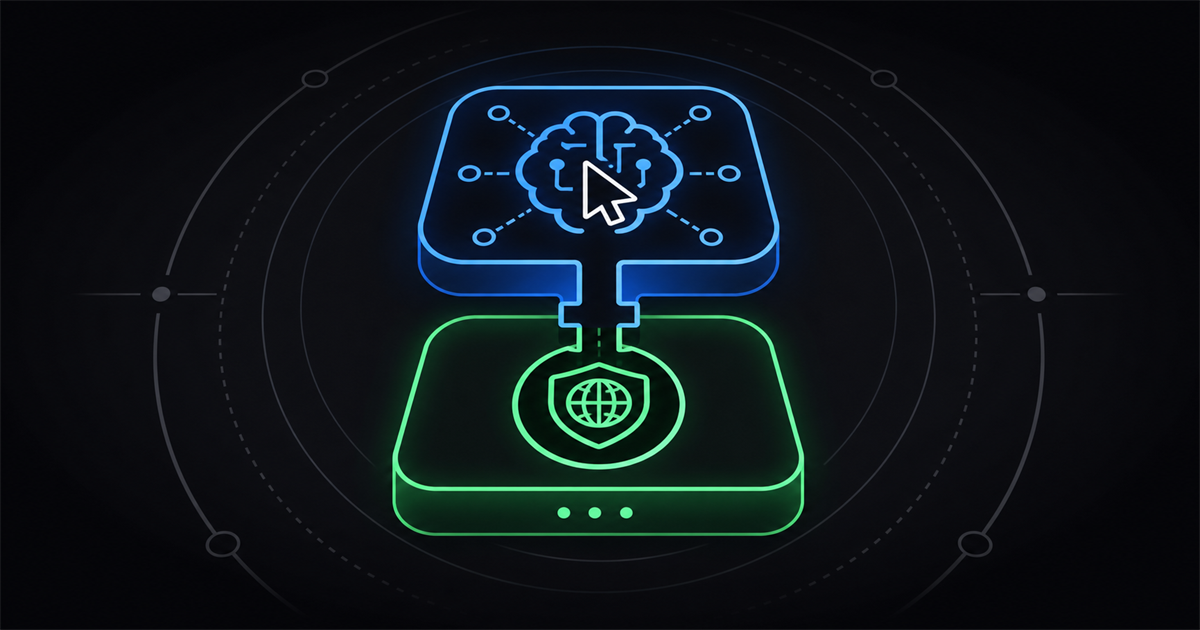
Clawbrowser and Browser Use are both built for AI agents on the web, but they're not the same kind of product. Clawbrowser is a real browser you run locally (or in a container) with fingerprint control, proxies, and CAPTCHA handling built in. Browser Use is a hosted cloud platform with an open-source Python framework on top. This guide compares them on capability, deployment, and pricing — and shows when to use one, the other, or both.
TL:DR
Clawbrowser is a real browser you run locally (or in a container) with fingerprint control, proxies, CAPTCHA handling, and native plugins for Claude Code, Cursor, Codex, and Gemini CLI. Browser Use is a hosted cloud platform for AI agents with its own open-source Python library, residential proxies, and CAPTCHA solving built into the cloud product. Pick Clawbrowser if you want local execution and to drive agents from the surfaces developers already use. Pick Browser Use if you want a fully hosted cloud platform with their Python agent framework on top.
Quick comparison table
| Clawbrowser | Browser Use | |
|---|---|---|
| Primary role | Browser runtime for AI agents | Cloud platform for AI agents with Python library |
| Deployment | Local (macOS, Linux, Windows) or container (OCI image) | Cloud-hosted |
| Fingerprint control | Yes — 20+ surfaces, per profile | Yes (in the cloud product) |
| CAPTCHA handling | Yes — handled in the runtime | Yes (in the cloud product) |
| Proxy integration | Residential or datacenter, per profile | Residential, included in cloud |
| Automation protocol | Standard Chrome DevTools Protocol (CDP) | Their Python library + CDP |
| Native agent-surface plugins | Claude Code, Claude Desktop, Cursor, Codex, Gemini CLI, MCP server | None — driven from Python |
| Open source | CLI and plugins open; runtime closed | Python library MIT; cloud closed |
| Pricing model | Proxy consumption | Per browser-hour (~$0.02/hr as of mid-2026) |
| Multi-account isolation | Native per-profile | Via session/profile config |
Deep dive: Clawbrowser
Clawbrowser is a real browser that gives AI agents a coherent identity layer — fingerprints, proxies, rotating identities — and exposes itself over the standard Chrome DevTools Protocol. It runs on your machine or in a container, and ships native plugins for the agent surfaces developers already work in.
Key features
- Per-profile fingerprint control across 20+ surfaces. Canvas, WebGL, AudioContext, fonts, screen size, language, timezone, navigator properties, WebRTC, client rects — all generated coherently so the identity doesn't contradict itself.
- Built-in CAPTCHA handling inside the runtime, so challenges don't stop the session.
- Proxy routing per profile — attach a residential or datacenter IP to any profile; traffic exits from the country you choose, with geo, language, and IP matched.
- Native agent-surface plugins with one-command install for Claude Code, Claude Desktop, Cursor, Codex, and Gemini CLI. Ships a
clawbrowser-mcpMCP server for CDP session management. Agents discover and use the browser through their own surfaces. - Standard CDP — drop-in compatible with Playwright, Puppeteer, and Browser Use's own Python library.
- Two runtime modes: host mode (desktop app on macOS, Linux, Windows) and container mode (OCI image for VPS, headless servers, SSH-only environments) — works with Docker, Podman, nerdctl.
- Pre-installed adblockers in profiles strip trackers before they load, which reduces paid-proxy bandwidth bills.
- Profile isolation — each profile has its own cookies, storage, fingerprint, and proxy. Nothing leaks between sessions.
Pros
- Local-first. Lower latency for tight agent loops, full data control, no per-hour cloud charges. Container mode covers the headless-server case without forcing you onto someone else's cloud.
- Agent-surface-native. Installs as a plugin directly into Claude Code, Cursor, Codex, and Gemini CLI. Agents use it without writing CDP glue or Python wrappers.
- Open architecture. Standard CDP means you can keep using Playwright, Puppeteer, or any orchestration tool you already have — including Browser Use's Python library.
- Cost model aligned with proxy consumption rather than browser-hours, which favors sustained or always-on workloads. Pre-installed adblockers further reduce proxy bills.
Cons
- JA3/TLS fingerprinting is a category-wide gap. On the most aggressive Cloudflare and Akamai deployments, the TLS layer can still leak — this is an unsolved problem across most stealth browser runtimes, not specific to Clawbrowser.
Deep dive: Browser Use
Browser Use is a cloud platform for AI agents on the web. It pairs a hosted browser infrastructure (with forked Chromium, residential proxies, and CAPTCHA solving) with an open-source Python library that lets LLMs read pages and decide what to do next. The library can drive any browser, but the stealth and CAPTCHA features live in the cloud product.
Key features
- Open-source Python library (MIT, 60K+ GitHub stars) for connecting LLMs to browsers.
- Browser Use Cloud — hosted stealth-browser infrastructure with forked Chromium, sub-second cold starts, residential proxies, and CAPTCHA solving included.
- LLM-agnostic. Works with OpenAI, Anthropic, Google, Ollama, plus their own hosted
bu-*models. - Agent abstractions —
Agent,Tools, custom actions, multi-tab management, element tracking, vision + HTML extraction. - Published benchmark scores — 81% on their own stealth benchmark and 84.8% on Halluminate's BrowserBench (cloud product), the highest publicly reported numbers from any provider at time of writing.
- Per-hour cloud pricing, ~$0.02/hr as of mid-2026.
Pros
- Large ecosystem. Community, examples, third-party benchmarks, integrations with most LLM providers.
- Hosted convenience. No local dependencies to manage; the cloud scales horizontally.
- LLM provider flexibility. Not locked into a specific model.
- Public benchmark scores for the cloud product, with third-party verification.
Cons
- Stealth requires the cloud product. The open-source library by itself uses standard Playwright underneath and inherits its detection problems — for CAPTCHA handling and anti-bot bypass, users typically need to integrate CapSolver or run on Browser Use Cloud.
- Cloud-only for production-grade stealth. No local execution for the stealth layer.
- Per-hour pricing adds up at scale. Cheap for short tasks, expensive for always-on agents.
Head-to-head: capability comparison
| Capability | Clawbrowser | Browser Use |
|---|---|---|
| Local execution | Yes (host + container modes) | Library yes; stealth no |
| Fingerprint control | Yes — 20+ surfaces, per profile | Yes (cloud product) |
| CAPTCHA handling | Yes — in the runtime | Yes (cloud product); OSS requires CapSolver integration |
| Residential proxy support | Yes, per profile | Yes (cloud product); OSS requires manual setup |
| Multi-account isolation | Native per-profile | Via session/profile config |
| Native agent-surface installs | Claude Code, Cursor, Codex, Gemini CLI, MCP | None — driven from Python |
| Multi-platform | macOS, Linux, Windows | Cloud — all OS fingerprints |
| Vendor lock-in | Low — standard CDP | High for cloud product |
Who should pick Clawbrowser?
Clawbrowser fits teams that want a real browser running locally, with fingerprint coherence and CAPTCHA handling built into the runtime, and that work with agents from inside Claude Code, Cursor, Codex, or Gemini CLI.
Concretely:
- You drive agents from Claude Code, Cursor, Codex, or Gemini CLI. Clawbrowser installs as a native plugin into those surfaces with one command — no CDP glue, no Python wrapper.
- You want local execution. Lower latency for tight reasoning loops, full data control, no data leaving your environment. Container mode covers the headless-server case via the OCI image.
- You're cost-sensitive at scale. Proxy-consumption pricing rewards sustained use, and pre-installed adblockers further reduce proxy bills.
- You're running multi-account or scraping workflows where profile isolation and proxy-fingerprint coherence matter.
- You already use Playwright or Puppeteer and don't want to rewrite your automation against a new framework.
Try Clawbrowser locally. Install it into Claude Code, Cursor, Codex, or Gemini CLI with one command:
npx --yes github:clawbrowser/clawbrowser claudeOr sign up at clawbrowser.ai to grab an API key first.
Who should pick Browser Use?
Browser Use fits teams that want a fully hosted cloud platform with a Python agent framework on top, and don't need local execution.
Concretely:
- You want a managed cloud platform with stealth, CAPTCHA solving, and proxies bundled into one bill.
- You're building agents in Python and want a framework that handles the LLM-to-browser loop for you, rather than writing the agent logic yourself.
- You're running short, bursty tasks where per-hour cloud pricing comes out cheap.
- You're already invested in their LLM integrations or hosted
bu-*models.
Can you use Clawbrowser with Browser Use?
Yes. The open-source browser-use Python library can connect to any CDP-compatible browser, including a Clawbrowser session. You get Browser Use's agent abstractions for the LLM-to-browser loop, and Clawbrowser's fingerprint coherence, proxies, and CAPTCHA handling underneath.
Start a Clawbrowser session and grab its CDP endpoint:
clawbrowser start --session agent-1
clawbrowser endpoint --session agent-1
# prints the live CDP URL
Then in Python:
from browser_use import Agent, Browser, ChatOpenAI

browser = Browser(
    cdp_url="http://127.0.0.1:XXXXX"  # from `clawbrowser endpoint`
)You keep Browser Use's Python agent framework. You add Clawbrowser's runtime-level fingerprint coherence, proxies, and CAPTCHA handling underneath — running locally instead of in their cloud.
Frequently asked questions
Is Clawbrowser a Browser Use alternative?
Yes, with caveats. Browser Use is a cloud platform with a Python framework on top; Clawbrowser is a local browser runtime that exposes standard CDP. They overlap on the browser layer — both offer fingerprint control, proxies, and CAPTCHA handling — but Clawbrowser runs on your machine while Browser Use runs in their cloud. If you want local execution, Clawbrowser is a direct alternative. If you want the Python framework specifically, you can run it on top of Clawbrowser instead of Browser Use Cloud.
Is Clawbrowser cheaper than Browser Use?
It depends on the workload. Browser Use charges per browser-hour (~$0.02 in mid-2026); Clawbrowser charges based on proxy consumption. For short, bursty tasks, Browser Use's per-hour pricing is usually cheaper. For always-on or sustained agent workloads, Clawbrowser tends to come out lower — and Clawbrowser's pre-installed adblockers further reduce proxy spend.
Can Clawbrowser solve CAPTCHAs like Browser Use?
Yes. Both handle CAPTCHA challenges — Browser Use in its cloud product, Clawbrowser in the runtime itself. The difference is where the work happens: Browser Use solves them inside their cloud session, Clawbrowser solves them locally inside the browser you control. The open-source browser-use Python library on its own doesn't solve CAPTCHAs — you'd integrate CapSolver, use Browser Use Cloud, or run the library on top of Clawbrowser.
Does Clawbrowser work with the Browser Use Python library?
Yes. The browser-use Python library can connect to any CDP-compatible browser, including a Clawbrowser session. Start Clawbrowser, get the CDP endpoint with clawbrowser endpoint --session <name>, and pass it as Browser(cdp_url=...) in your agent setup. You get Browser Use's framework on top with Clawbrowser's fingerprint, proxy, and CAPTCHA layer underneath.
Is Clawbrowser open source like Browser Use?
Partly. Browser Use's Python library is MIT-licensed open source; their cloud is closed. Clawbrowser's CLI, install scripts, and agent-surface plugins are open-source on GitHub; the browser runtime itself is closed. Neither product is fully open source — the parts that handle stealth (Browser Use Cloud, Clawbrowser's runtime) are closed in both cases.
Can I run Browser Use locally like Clawbrowser?
You can run the open-source Python library locally, but the stealth, proxies, and CAPTCHA features live in Browser Use Cloud. To get equivalent capabilities running locally, you'd need to integrate residential proxies and a CAPTCHA solver yourself — or use Clawbrowser, which has all three built into a local browser runtime that supports macOS, Linux, Windows, and container mode.
Which has better stealth — Clawbrowser or Browser Use?
Browser Use Cloud has published independent benchmark scores (81% on their own stealth benchmark, 84.8% on Halluminate's BrowserBench). Clawbrowser hasn't published benchmark scores yet. Both handle fingerprinting at the browser-runtime level rather than via JavaScript plugins. JA3/TLS fingerprinting remains a category-wide gap that neither fully closes today.
Can I use both Clawbrowser and Browser Use together?
Yes. The combined setup: Browser Use's open-source Python library handles the LLM-to-browser loop, and Clawbrowser handles the browser runtime — fingerprint, proxies, CAPTCHA, identity. You connect them over standard CDP. You keep Browser Use's agent framework and get local execution with Clawbrowser's runtime underneath.
Final verdict
Both products are aimed at giving AI agents a working browser. They make different assumptions about where that should run.
If you want a real browser on your machine (or in a container), with fingerprint control, proxies, and CAPTCHA handling built into the runtime, and native installs into Claude Code, Cursor, Codex, and Gemini CLI, Clawbrowser is the fit. You keep your existing Playwright or Puppeteer code, and your data stays where you run it.
If you want a hosted cloud platform with an open-source Python agent framework on top, Browser Use is the fit. The trade-off is cloud-only deployment for the stealth features and the per-hour pricing model.
And if you want both — Browser Use's Python agent framework on top of Clawbrowser's local runtime — that's a working setup too. The two products combine cleanly over standard CDP.
Related Comparisons
Next steps: if your Playwright scripts keep getting blocked, see why Playwright scripts get detected and how to fix it. For the technical foundation, see our browser fingerprinting guide.
Continue exploring
Ask AI how Clawbrowser helps
Keep reading
Related articles
The 7 Best Browsers for AI Agent Automation in 2026
Engine-level vs. plugin-level. Local vs. cloud. A ranked comparison of the seven browser options that matter for production AI agents.
Read article →
Free Anti-Detect Browser for AI Agents: What Actually Works
Most anti-detect browsers charge per profile or per session. Here is what is actually free for AI agent automation, what is free with a catch and how the trade-offs stack up.
Read article →