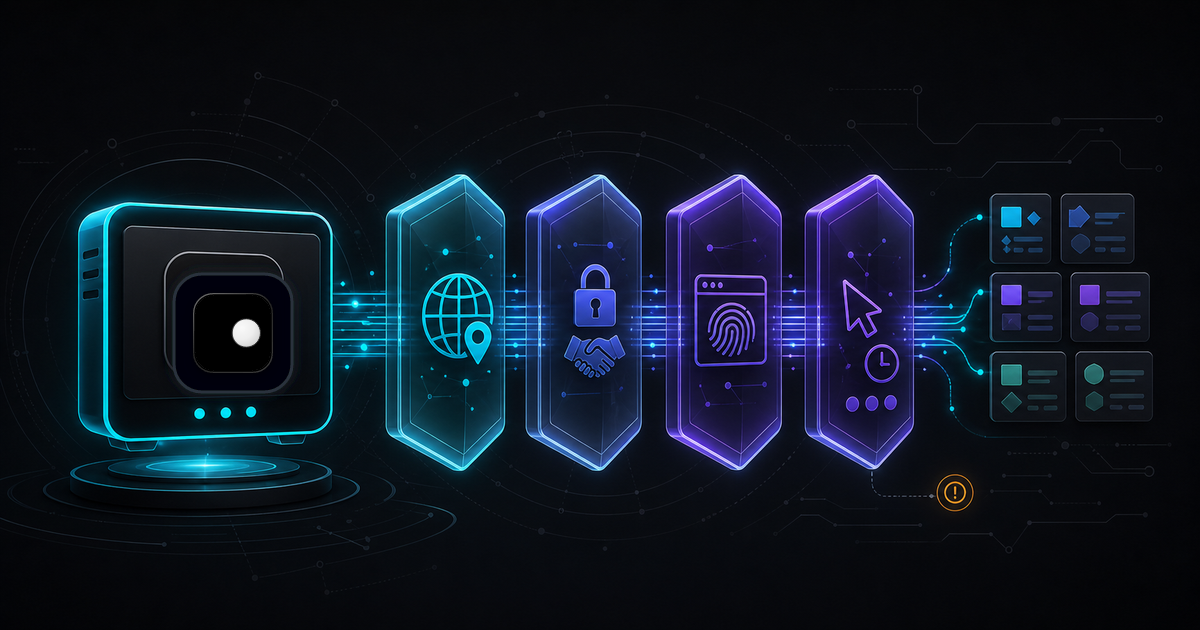
Your scraper works on the first run. By the third run, you're hitting 403s, empty responses or infinite CAPTCHA loops. The code didn't change. The site didn't change. What changed is that the site's anti-bot system built a profile of your scraper and started blocking it. In 2026, anti-bot systems like Cloudflare, Akamai and DataDome check more signals than ever, and the old tricks (stealth plugins, User-Agent rotation and random delays) no longer hold up on their own.
TL;DR: Most scraping blocks come from four detection layers: network, browser identity, behavior and session state. Instead of patching each layer in your code, start with a browser that handles fingerprints and proxies at the engine level. Then focus your code on what's actually scraping-specific: site reconnaissance, data extraction patterns, pagination and scaling.
For the foundational theory on how anti-bot systems work across all four layers, see Browser Automation Without Getting Blocked: The 4-Layer Defense Stack. This guide focuses on the practical scraping workflow: what to do before you write code, how to extract data and how to scale.
Recon before you code
Most developers start writing a scraper immediately. That's how you end up rebuilding it many times. Spend 10 minutes on reconnaissance and you'll pick the right approach on the first attempt.
Identify the anti-bot system
Open browser DevTools on the target site and check the response headers.
| Header | Anti-bot system |
|---|---|
cf-ray, server: cloudflare |
Cloudflare Bot Management |
x-akamai-transformed |
Akamai Bot Manager |
x-datadome |
DataDome |
x-px-* headers |
PerimeterX (now HUMAN) |
| None of the above | Likely no commercial anti-bot, or custom solution |
This tells you how hard the job will be. An unprotected site can be scraped with curl_cffi or plain requests. A Cloudflare-protected site needs a real browser with managed fingerprints.
Check if an API exists
Before building a browser-based scraper, check whether the site has an API endpoint you can hit directly. Open the Network tab in DevTools, navigate the site and filter by XHR/Fetch. Many sites load data from JSON endpoints that are easier to scrape than rendered HTML.
# If the site loads product data from an API endpoint
from curl_cffi import requests

response = requests.get(
"https://target-site.com/api/v2/products?category=electronics&page=1",API endpoints are faster and return structured data. However, some anti-bot systems track whether API requests originate from a real browser session. If the server expects that /api/v2/products is only called after the client renders the page and executes JavaScript, a direct request to that endpoint without a preceding page load can trigger detection. For protected sites, the safer approach is to load the page in a real browser and let the client-side code make the API call naturally, then intercept the response.
Assess the rendering model
Load the page with JavaScript disabled (DevTools → Settings → Disable JavaScript). If the content is still visible, you don't need a browser at all. If the page is blank, it's a JavaScript-rendered SPA and you need a real browser engine.
| Content visible without JS? | Tool to use |
|---|---|
| Yes, all content renders | curl_cffi or requests with TLS impersonation |
| Partial (some content missing) | curl_cffi for static parts, browser for dynamic |
| No, page is blank | Full browser (Clawbrowser + Playwright/Puppeteer) |
Choosing your scraping stack
The right tool depends on the target site's protection level and rendering model. Using a full browser when curl_cffi would work wastes resources. Using an HTTP library on a JS-rendered Cloudflare site wastes your time.
Decision tree
No anti-bot + server-rendered HTML: Use curl_cffi with TLS impersonation. Fastest, lowest resource cost. No browser needed.
from curl_cffi import requests

response = requests.get(
    "https://unprotected-site.com/products",
impersonate="chrome136"No anti-bot + JavaScript-rendered: Use a standard headless browser. No fingerprint management needed since there's no anti-bot checking.
Anti-bot + server-rendered HTML: Use curl_cffi with residential proxy. The anti-bot checks TLS fingerprint and IP but doesn't run JavaScript challenges.
Anti-bot + JavaScript-rendered (Cloudflare, Akamai, DataDome): Use browser like Clawbrowser with managed fingerprints and a residential proxy. This is the only stack that handles all four detection layers.
from playwright.async_api import async_playwright

async def scrape_protected_site():
    async with async_playwright() as p:
# Clawbrowser handles fingerprints, TLS and proxy at the engine levelClawbrowser is a local, free, Chromium-based anti-detect browser with managed fingerprints, proxy routing, native CDP and a built-in MCP server. Your Playwright or Puppeteer code connects over CDP like any standard Chrome instance.
Data extraction patterns
Once you're past the anti-bot layer, the scraping-specific work begins: extracting structured data from pages reliably.
Pagination
Most sites paginate results. There are three common patterns, each requiring a different approach.
URL-based pagination (page number in the URL):
async def scrape_paginated(page, base_url, max_pages=50):
    all_items = []
    for page_num in range(1, max_pages + 1):
        await page.goto(f"{base_url}?page={page_num}")
await human_delay(2000, 4000)Infinite scroll (content loads on scroll):
async def scrape_infinite_scroll(page, max_scrolls=30):
    all_items = []
    previous_count = 0

for _ in range(max_scrolls):"Load more" button:
async def scrape_load_more(page):
    while True:
        load_more = await page.query_selector('[data-testid="load-more"]')
        if not load_more:
breakHandling dynamic content
Some data only appears after user interaction: clicking tabs, expanding accordions or hovering over elements.
async def extract_product_details(page, product_url):
    await page.goto(product_url)
    await human_delay(1000, 2000)

# Click "Specifications" tab to reveal hidden dataExtracting from shadow DOM
Some modern sites use shadow DOM to encapsulate components. Standard selectors can't reach inside shadow roots.
# Pierce through shadow DOM to extract data
data = await page.evaluate("""
    () => {
        const host = document.querySelector('product-card');
const shadow = host.shadowRoot;Session management for scraping
Session handling is where scraping differs most from general automation. A scraper visits hundreds or thousands of pages in patterns that no real user would produce. Managing sessions properly is the difference between completing the job and getting blocked on page 50.
Session warming
Don't go straight to the target page. Visit the homepage first, browse a category, accept the cookie banner. This builds a session history that looks legitimate before you start hitting the pages you actually need.
For the behavioral building blocks (randomized delays, realistic mouse movement and scroll patterns), see the Layer 3 section of Browser Automation Without Getting Blocked. The example below uses those helpers to warm a scraping session:
async def warm_session(page, site_url):
    await page.goto(site_url)
    await human_delay(2000, 4000)

# Accept cookies if banner appearsRotating profiles at scale
When scraping thousands of pages from a single domain, distribute the work across multiple browser profiles. Each profile in Clawbrowser maintains its own fingerprint, cookies, storage and proxy assignment. This prevents any single session from accumulating a suspicious request volume.
import asyncio
from playwright.async_api import async_playwright

async def scrape_batch(profile_name, urls):
async with async_playwright() as p:| Scraping scale | Recommended approach |
|---|---|
| < 100 pages/day | Single profile, residential proxy, 3-5s delays |
| 100-1,000 pages/day | 3-5 rotating profiles, sticky residential sessions |
| 1,000-10,000 pages/day | 10+ profiles, proxy pool, session warming |
| 10,000+ pages/day | Distributed setup, multiple Clawbrowser instances, backoff logic |
Diagnosing blocks
When your scraper gets blocked, you need to know which detection layer is the cause before you can fix it. Different symptoms point to different layers.
| Symptom | Likely cause | Fix |
|---|---|---|
| Blocked on first request | IP reputation or browser fingerprint | Switch to residential proxy, use anti-detect browser |
| Works for 5-10 pages then blocks | Behavioral detection or session limits | Slow down, add delays, warm sessions |
| CAPTCHA on every page | Fingerprint leak | Browser is leaking automation signals, switch to managed fingerprints |
| 403 after proxy rotation | Browser fingerprint unchanged | New IP but same broken fingerprint, fix the browser layer |
| Works locally, fails in production | Datacenter IP | Local IP is residential, production is datacenter, add residential proxy |
| Empty page / spinner forever | JavaScript challenge failed | Browser can't pass Cloudflare/Akamai JS check, needs real engine |
| Data loads but is different from manual visit | Geo or locale mismatch | Proxy location doesn't match fingerprint timezone/language |
Quick diagnostic script
import asyncio
from playwright.async_api import async_playwright

async def diagnose_blocking(target_url):
async with async_playwright() as p:Scraping Cloudflare-protected sites
Cloudflare is the most common anti-bot system. Its Bot Management checks TLS fingerprints, runs JavaScript challenges (Turnstile), scores behavioral patterns and evaluates IP reputation, all simultaneously.
What Cloudflare checks
- TLS fingerprint (JA3/JA4): If the ClientHello doesn't match a known browser, the request is challenged before any HTML is served
- JavaScript execution: Turnstile runs browser-environment checks that require a real rendering engine
- IP reputation: Cloudflare maintains its own database across millions of sites
- Request patterns: Repeated identical requests from the same session get flagged
The workflow
You need all layers clean at once. An anti-detect browser handles TLS and JavaScript. A residential proxy handles IP. Your code handles timing.
async def scrape_cloudflare_site(target_url, profile="cf-scraper"):
    async with async_playwright() as p:
        browser = await p.chromium.connect_over_cdp(
            f"http://127.0.0.1:9222?profile={profile}"
)For a detailed Cloudflare-specific breakdown, see Why Your Playwright Scripts Keep Getting Blocked by Cloudflare.
AI agent scraping
If you're building AI agents that scrape the web, Clawbrowser's MCP server lets agents control browser sessions directly. The agent decides what to scrape, navigates pages and extracts data through the same CDP interface. The managed fingerprints and proxy routing work identically whether the commands come from your code or from an AI agent.
See CDP Browser for AI Agents: A Developer Guide for the full integration guide.
FAQ
Why does my scraper work locally but fail in production?
Your local machine uses a residential IP from your ISP. Your production server uses a datacenter IP from a cloud provider. Anti-bot systems flag datacenter IPs. Add a residential proxy to your production setup and the problem usually resolves. If it doesn't, check that your production browser is running in headed mode with managed fingerprints.
Should I use an HTTP client or a browser?
If the target site renders content server-side and has no anti-bot system, use curl_cffi with TLS impersonation. If the site uses JavaScript rendering or runs anti-bot challenges, use a full browser. Check by disabling JavaScript in DevTools: if the content disappears, you need a browser.
How do I know if a site uses Cloudflare?
Check the response headers for cf-ray or server: cloudflare. Use browser DevTools: open the Network tab, load the page and look for Cloudflare headers. The Turnstile challenge page has a distinctive loading spinner before content appears.
Can I scrape without proxies?
For unprotected sites, yes. For sites behind Cloudflare, Akamai or similar, you'll likely need residential proxies to avoid IP-based blocking. Your home IP works for testing but will get flagged quickly at scale. Proxies distribute your requests across many IPs so no single address accumulates suspicious volume.
Start scraping without getting detected
Successful scraping in 2026 starts before you write any extraction code. Recon the target site, pick the right tool for its protection level and set up your browser infrastructure first.
Install Clawbrowser to handle the browser identity and network layers: copy the install prompt from clawbrowser.ai and paste it into your AI agent. Setup takes under two minutes. Then focus your code on what matters: reconnaissance, data extraction, pagination and session management.
For the underlying detection model, see Browser Automation Without Getting Blocked: The 4-Layer Defense Stack. For fingerprinting details, see Browser Fingerprinting Explained: The 20+ Signals Anti-Bot Systems Use.
Continue exploring
Ask AI how Clawbrowser helps
Keep reading
Related articles
Browser Automation Without Getting Blocked: The 4-Layer Defense Stack
Why browser automation gets blocked and how to fix it at every layer: browser identity, network, behavior and session management. A structural guide for developers.
Read article →
Puppeteer-Extra-Stealth Is Obsolete: What Modern Automation Uses Instead
puppeteer-extra-plugin-stealth hasn't been updated since 2023. Here's why it fails on modern anti-bot systems and what to use instead.
Read article →